Monday, July 30, 2012

Top Firefox shortcut keys everyone should know


Today more or less we all use Mozilla Firefox. It has some built-in shortcuts that we don't know. Below is a listing of our top favorite Firefox keyboard shortcuts. Learning these shortcuts will greatly improve your productivity and overall experience with Mozilla Firefox.

Ctrl + T and middle-click
Pressing Ctrl + T will open a blank new tab or if you want to open any link in a new tab press your middle mouse button (often the scroll wheel) to open that link in a new tab.

Ctrl + Shift + T

10 Best add-ons for Firefox

In this post I am going to give you 10 favorite Firefox add-ons or extensions that I found interesting, very helpful and everybody should have. Mozilla Firefox so great is all the available add-ons and installing these add-ons can help improve your abilities and the overall feel of Firefox. All of them can be found through the Mozilla Firefox add-ons page or through the links provided below.


Thursday, March 29, 2012

Lets forget our Windows 7 Password

Everybody keeps their secrets in their PC.
And to protect them, We use password.
What if we forget them.
What do had to do?
Either Re-Set Up or PC or System Restore and many more complicated things.
They also cost us our important data to be lost.


No tension, Here I am back with a technique for you to reset your password using only command prompt.


Lets start.


Condition 1: You are logged in to your PC.


1. Go to start button. 
2. Click RUN

Saturday, March 10, 2012

How to Download Flash Files using your Browser


Today, Flash is everywhere. Animations, music, games, advertisements or even streaming presentations.
The use of Flash plug-ins in browsers is now almost obligatory. Yes, it’s easy to view and enjoy the rich media content delivered by interactive Flash embedded pages. But what if I want to download some of these files as keepsakes? The greatest benefit ““ I can watch them offline in my own jolly time. Convert them to a format of my choice. Or embed them again in a PowerPoint presentation. Or even transfer them to my mobile phone.

Thursday, January 26, 2012

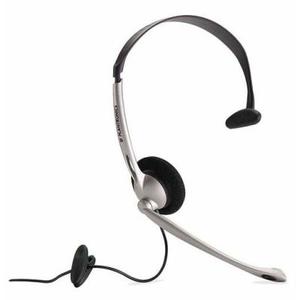
Live echo on PC Microphone (Updated on 27-01-2013)

Sometimes we do voice chat on internet in various sites. It is some kind of addiction to others.

We sing, recite etc but we do them as normal voice. We all have dream of adding reverb or echo on our voice while we chat.  but you can't do that as your SOUND CARD doesn't support that option or you are using built-in sound card. but you desperately want to do the effect that seems like the professional.

Don't worry, I've come with a extraordinary software that helps you to add live echo on your voice.